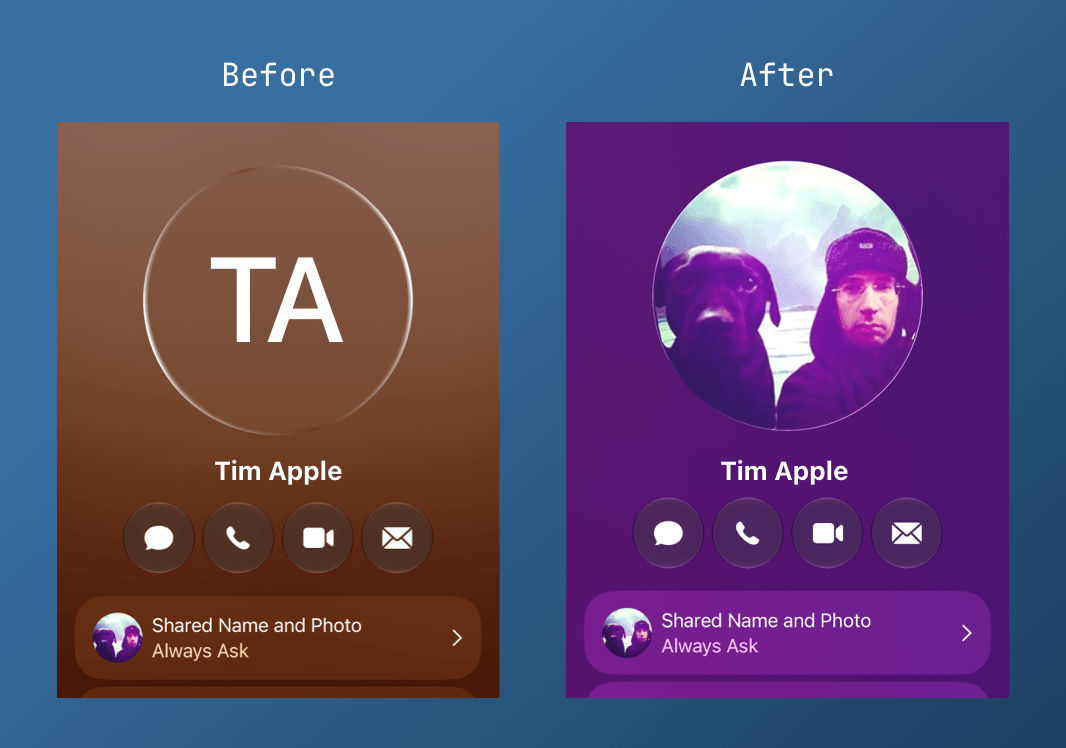
Have you ever set a simple profile picture on your iPhone, only for it to disappear or turn into a full-screen poster when you call someone? I have, and I spent far too long trying to work out why my phone would not just show a normal circular photo.
It kept falling back to my initials or filling the whole screen with my face.
What I eventually worked out is that Apple links the small circular photo to the full-screen "Contact Poster". If you turn sharing off completely for privacy, the phone hides the photo as well and shows your initials instead.
If you just want a normal photo without the giant poster
- Turn sharing on, but make it ask. Open your contact card, tap Shared Name and Photo, and turn it on. Set it to Always Ask so your phone can use the photo without sharing it automatically.
- Set your avatar. Tap Edit under your photo, choose the Avatar tab at the top, then select the picture you want.
- Delete the poster. If the full-screen background still appears, swipe up on it and delete it.
It feels backwards, but it worked for me. I now have the small profile picture I wanted without my face filling the screen every time I make a call.